For the complete documentation index, see llms.txt. Markdown versions of documentation pages are available by appending
.mdto page URLs; this page is available as Markdown.
How to Prepay a Loan Account
This functionality makes it easy to prepay a loan account by paying off the entire amount and closing the loan account in one single step.
To prepay the loan for a client:
To prepay a loan for a client, select the client. Click the General tab.
- Click the loan account for which the client wants to prepay the balance.
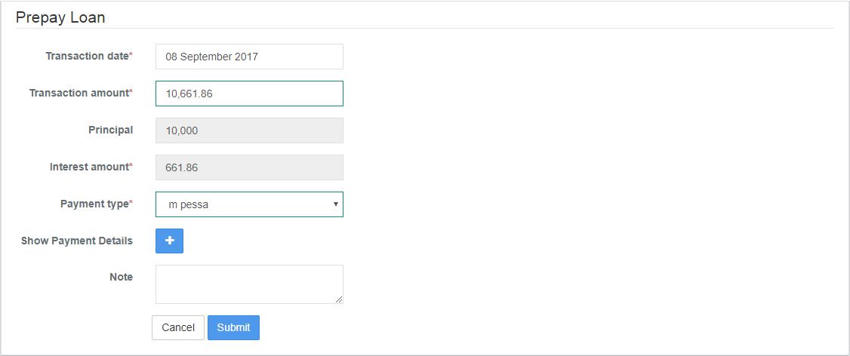
- Click Prepay Loan from the Action Bar to see the following page with the payoff amount pre-populated summing up the total amount of principal and interest to pay of the loan as of that date.
- Enter the Transaction Date, Transaction Amount, Payment Type (mandatory fields) and Note (optional).
- Click Submit. This loan status will now be Closed paying off the amount due for principal and interest.