For the complete documentation index, see llms.txt. Markdown versions of documentation pages are available by appending
.mdto page URLs; this page is available as Markdown.
Currency Configuration
For more information, check out the Currency Configuration YouTube Video.
As many of the operations within Spade Core Banking take place on an international scale, a variety of currencies may be used. This section allows an organization to define what currencies will be used throughout their interactions within the Spade Core Banking system.
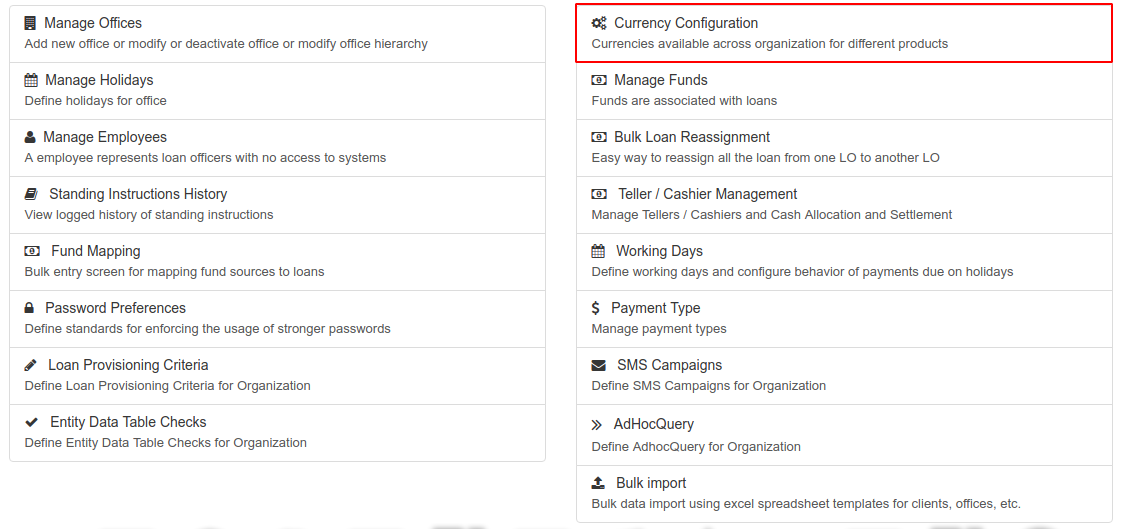
From the Welcome Page, click on the Admin button on the top menu bar, then click on Organization from the drop down list. This will launch the Organization menu.
Select Currency Configuration.
Add or Edit Currencies
Follow the steps below to add or delete currencies from your organization's Spade Core Banking profile. Chosen currencies will be displayed along with their currency code.
- Click the blue Add/Edit button at the top-right of the screen.
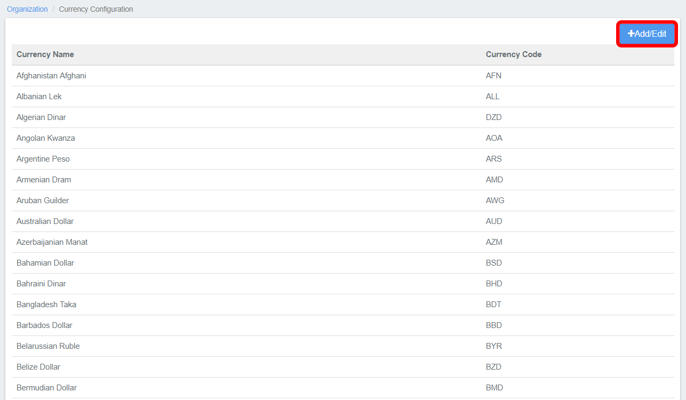
- This will display a list of all currencies currently in use. Click the blue 'x' at the right of a currency to remove it from your organization's selected currencies.

- Type the name of the currency you would like to add into the New Currency field. Spade Core Banking will automatically filter matches as you type.
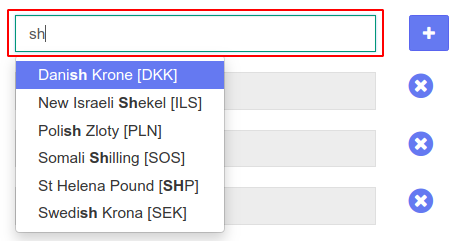
- Click on the blue '+' to the right of the field to add the selected currency.

- Click Submit to commit your changes.
Youtube video: https://youtu.be/5CEHit2RK14?t=1
Related articles
- Page:Bulk Loan Reassignment
- Page:Manage Employees
- Page:Manage Funds
- Page:Manage Holidays
- Page:Manage Offices