For the complete documentation index, see llms.txt. Markdown versions of documentation pages are available by appending
.mdto page URLs; this page is available as Markdown.
Installing Data Import Tool
Installing Data Import Tool

Note:- Data Import Tool will work with Spade Core Banking - version from 1.26 to 15.03.
1 - Required Software
1.1 - Download & Install Git hub
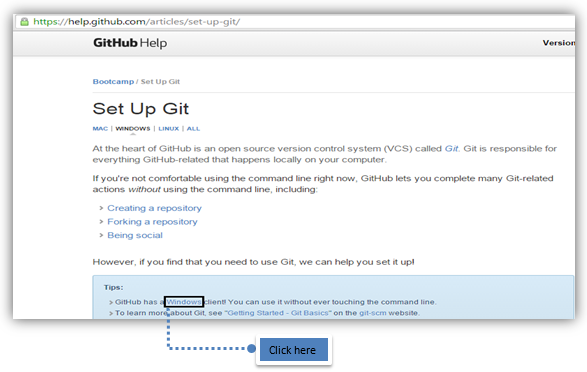
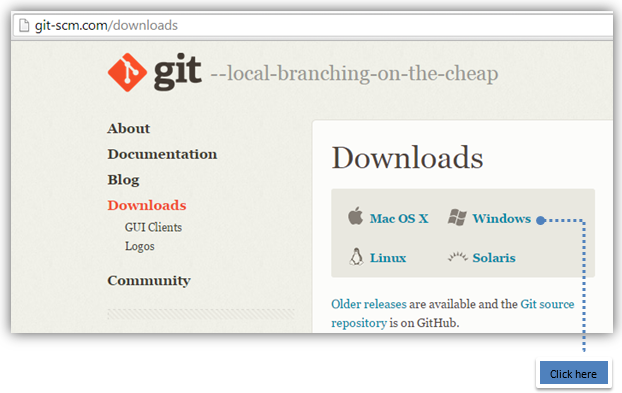
1.2 - Download & Install Git Bash from: http://git-scm.com/downloads
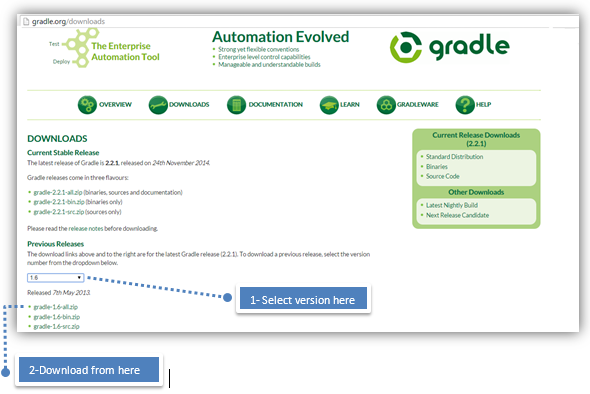
1.3 - Downloading Gradle (Compatible version is 2.6)
From http://gradle.org/downloads
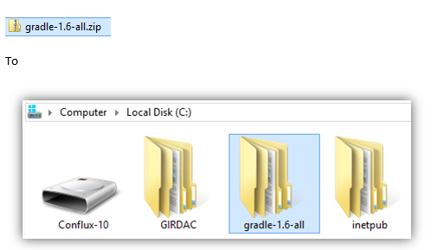
1.4 - Extracting downloaded Gradle to C:/
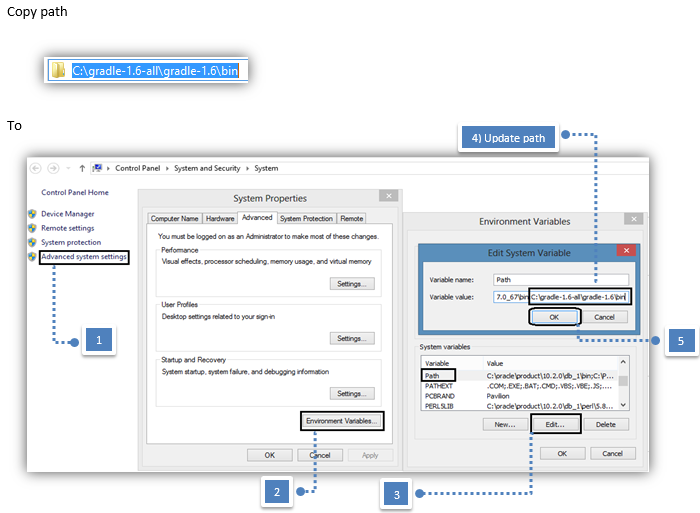
2 - Setting up environment variables for gradle
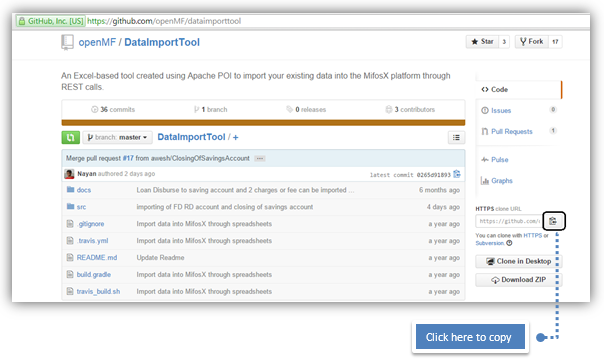
3 - Cloning URL
from https://github.com/openMF/dataimporttool
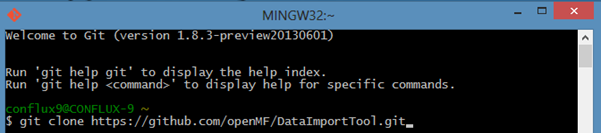
3.1 - Open git bash:
git clone https://github.com/openMF/DataImportTool.git
4 - Create dataimport.properties file in home directory 
>> Right click and open new text file then paste 4.1 content below in it, now click on save button>>Rename .txt file to dataimport.properties
Tip: In folders and settings, make sure to enable folder extension.
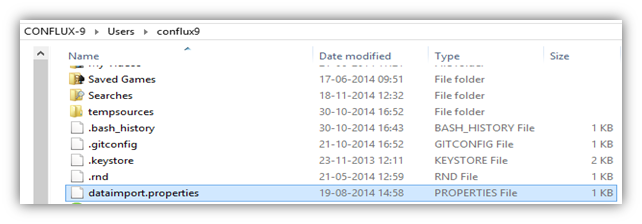
4.1 - Update below provided details in the dataimport.properties file:
mifos.endpoint=https://localhost:8443/mifosng-provider/api/v1/\ mifos.user.id=mifos\ mifos.password=password\ mifos.tenant.id=default

Note: If you are using Multi-tenant, then endpoint should be the same but tenant.id and respective credentials should be changed respectively.
Note: If the you are connecting to the demo server and want to use your tenant, for importing the data then it will be like this:-For example:- Tenant name is - xyzmfi, thenmifos.endpoint=https://demo.openmf.org/mifosng-provider/api/v1/mifos.user.id=\
5 - Starting Data import tool
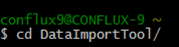
5.1 - Open Gitbash>> Go to:
cd DataImportTool
5.2 - Run:
gradle clean tomcatRunWar

5.3 - Once the server is started:

6 - Start Using - Data Import tool from web browser, by going to: 
http://localhost:8070/DataImportTool
Note: Make sure Spade Core Banking is running.
Also refer compatible software details:- Compatible Software
Reference Guide: https://github.com/openMF/DataImportTool

- Page:Installing Data Import Tool
- Page:Data Import Tool